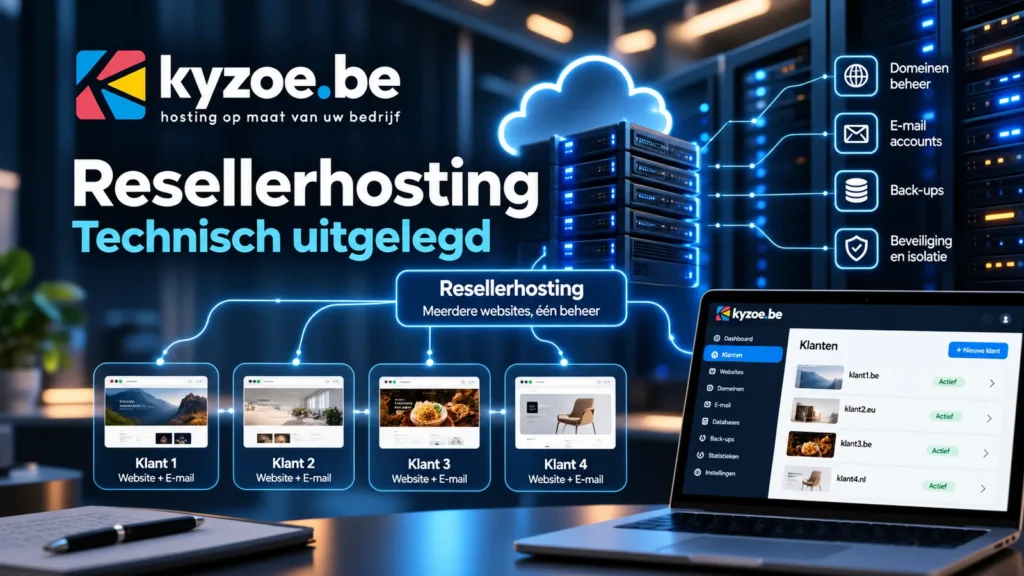
With the Agency 10 reseller plan, you host your clients’ websites and mailboxes under your own brand. The page hosting for web agencies explains what that brings you. In this article we look at the technical side: how the environment is set up, how to configure white label and your own nameservers, and what to watch out for with email, PHP and backups.
The platform
Our hosting runs on the Enhance control panel, with LiteSpeed as the web server and NVMe storage. The servers are located in data centres in Germany, the Netherlands and France. You and your clients work in the same panel; only the permissions differ.
The structure has three levels:
- Kyzoe manages the servers, the platform and your reseller plan.
- You, the reseller, get your own organisation in the panel. There you create plans, add clients and set up your brand.
- Your clients each get their own login and only see their own websites, mailboxes and DNS.
Resources: divide, don’t overbook
Agency 10 gives you 10 websites, 100 GB NVMe storage, 4 vCPU, 4 GB memory, 10 databases and 10 staging sites. You divide those resources into plans for your clients, for example a “Starter” plan with one website and 5 GB, and a “Business” plan with three websites.
Enhance does not allow overselling: the limits of a plan you create can never be higher than those of your own plan. That is a deliberate choice. A client who suddenly gets a lot of traffic can never affect the rest of the server. Need more? We extend your plan or you move to a VPS of your own.
Setting up white label
White label consists of two parts: the house style of the panel and the addresses at which your clients reach the panel and its tools.
House style
In your organisation’s branding settings you set your logo, colours, font and button rounding. From then on your clients see your house style instead of Kyzoe’s.
Your own addresses
You can set your own domain names for four parts:
- the control panel, for example
panel.youragency.com; - webmail (Roundcube), for example
webmail.youragency.com; - phpMyAdmin for database management;
- your clients’ staging sites.
For each address you create a record in the DNS of your own domain that points to our platform. We give you the right details when you start. Then you enter the addresses under the platform domains in the panel.
Your own nameservers
With your own nameservers, your clients’ domains use for example ns1.youragency.com and ns2.youragency.com instead of Kyzoe’s nameservers. This is how it works:
- Choose the names. Usually
ns1andns2on your agency’s domain. - Create glue records. Because the nameservers are within your own domain, the registrar of that domain needs to know their IP addresses. That is called a glue record. At your registrar you enter the names with the IP addresses we give you. If your domain is with Kyzoe, we help you with it.
- Set the nameservers in the panel. From then on, your clients’ new websites get your nameservers.
- Switch your clients’ domains. At the registrar of each client domain, replace the nameservers with yours. It can take up to 24 hours before this has propagated everywhere.
Then check with dig NS clientdomain.com or an online DNS checker that the domain uses your nameservers.
DNS and email
If a client domain uses your (or our) nameservers, the panel manages the entire DNS zone. That is a big advantage for email: the panel can then publish the DKIM key itself. If the DNS is elsewhere, for example at Cloudflare or another registrar, you have to copy that record manually. Read more in why DKIM is not always enabled automatically and enabling DKIM.
For good delivery of your clients’ email, make sure there are three records:
- SPF: which servers may send mail on behalf of the domain;
- DKIM: a digital signature on every email;
- DMARC: what recipients should do with mail that does not check out.
If a client wants to use Cloudflare for caching and security, that is possible through the integration in the panel. See using Cloudflare with the Kyzoe hosting panel.
PHP and the server
- PHP version per website: 7.4, 8.1, 8.2, 8.3, 8.4 and 8.5. For new sites we recommend a supported version; 8.5 is available but not yet recommended for production. See PHP versions and lifecycle.
- Disabled functions: to protect the server, functions such as
exec,system,shell_exec,passthruandpopenare disabled. Plugins that want to run server commands will therefore not work. See the full list. - OPcache can be enabled per website under Advanced, Optimisation. For WordPress this is usually a quick win.
- Cron jobs, FTP and php.ini settings are managed per website. For WordPress sites we recommend a real cron job instead of WP-Cron.
Staging sites
Agency 10 includes 10 staging sites. A staging site is a copy of a website at a separate address. You test an update, a new plugin or a new design there, and only push it to the live site when everything works. With your own staging domain, your client sees your brand there too.
Backups
We make a backup of your websites every day and keep it for 30 days in another data centre. You or your client can restore a backup yourself from the panel. If you are unsure about the consequences, test the restore on a staging site first.
Users and permissions
Within your organisation you invite colleagues or freelancers with a role:
- Superadmin: access to all websites and settings;
- Staff: access only to the websites you choose.
An invitation expires after 10 days. If a freelancer only works for one client, give access to that website only. See inviting an extra user.
Migrating clients
If your clients are still with another host, we migrate their websites and mailboxes for free. Plan the nameserver switch at a quiet moment, lower the TTL of the DNS records beforehand, and test the site via a temporary address before you switch the DNS. Read more on migrating to Kyzoe.
Questions?
Email support@kyzoe.be. On weekdays we reply within 4 hours, including technical questions about the reseller environment. Would you like to discuss your situation first? Get in touch.
Read also
Updates to our hosting panel in September 2026
Four Enhance updates in September 2026: faster disk usage, Roundcube 1.6.18, LiteSpeed 6.3.7, custom DNS resolvers and more reliable migrations from cPanel…
Read more
A website of your own for your cultural organisation: web hosting with 50% off
Do you work in culture? Then Kyzoe gives you 50% off web hosting or WordPress hosting in the first year and 33%…
Read more
Novamira: an AI agent working directly in your WordPress site
With Novamira, an AI agent such as Claude or Cursor works directly in WordPress. What it can do, what Pro adds, how…
Read more