From our blog
All posts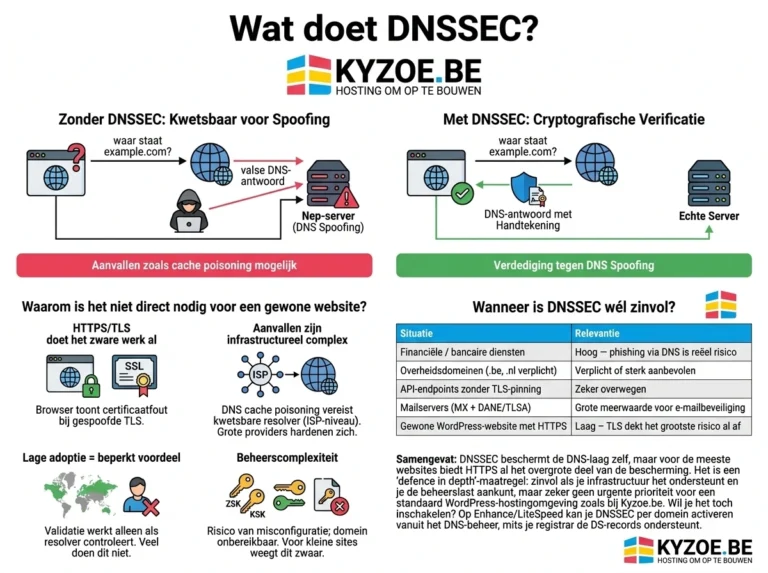
DNSSEC: what it is and why it isn’t always urgent
What does DNSSEC do? DNSSEC (DNS Security Extensions) adds a digital signature to DNS records. It protects against DNS spoofing / cache…
Read more
A website of your own for your cultural organisation: web hosting with 50% off
Do you work in culture? Then Kyzoe gives you 50% off web hosting or WordPress hosting in the first year and 33%…
Read more
Novamira: an AI agent working directly in your WordPress site
With Novamira, an AI agent such as Claude or Cursor works directly in WordPress. What it can do, what Pro adds, how…
Read moreGuides in the knowledge base
Go to the knowledge base- How long does a domain name transfer take?For most domains, the transfer starts immediately after entering the correct transfer code (EPP code). In…
- Email verification for gTLD domain namesIt can happen that your .COM, .NET or other generic Top Level Domain (gTLD) suddenly becomes…
- Changing the DNS servers of a domain nameDomain registration and hosting are two separate services. This means you can point the domain name…